01
REVISION HUB
Know what to revise next.
Keep track of topics that need revision, see them in one place and move revision work directly into your plan.
Studied→Mark for revision→Plan
Explore Revision Hub →A unified workspace for students to plan their preparation, focus deeply, practice consistently and understand their progress — without scattering everything across different apps.
Trackability is not locked to one examination. Use its custom syllabus, tasks, focus, MCQ, test and progress-tracking system for different competitive and entrance-exam workflows.
Postgraduate medical entrance preparation.
Undergraduate medical entrance preparation.
Institute-level postgraduate medical entrance preparation.
Engineering entrance preparation and practice.
Advanced engineering entrance preparation.
GS, CSAT, optional subjects and custom syllabus tracking.
Structured preparation and progress tracking.
Create your own subjects, chapters, tasks, tests and tracking workflow.
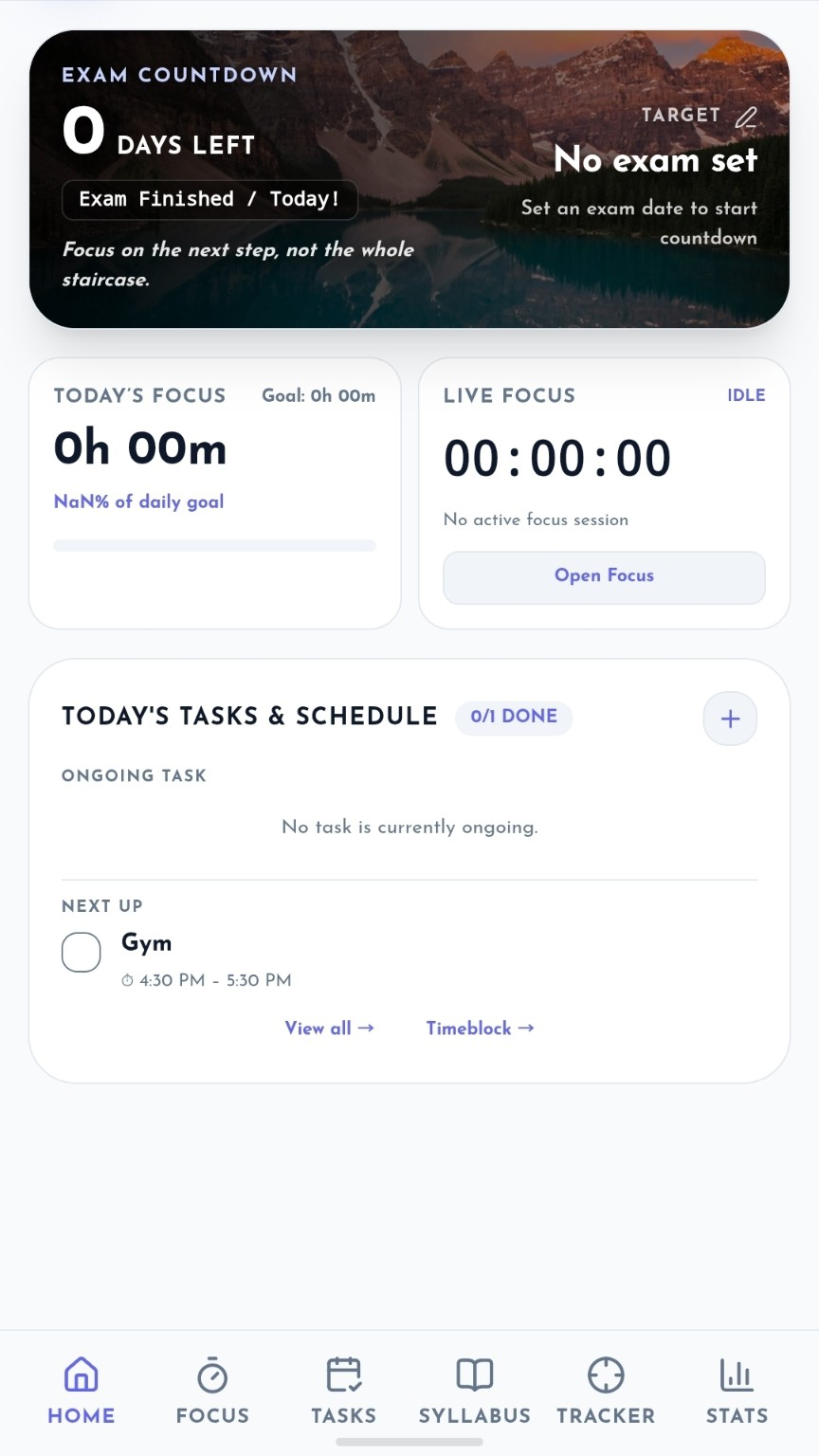
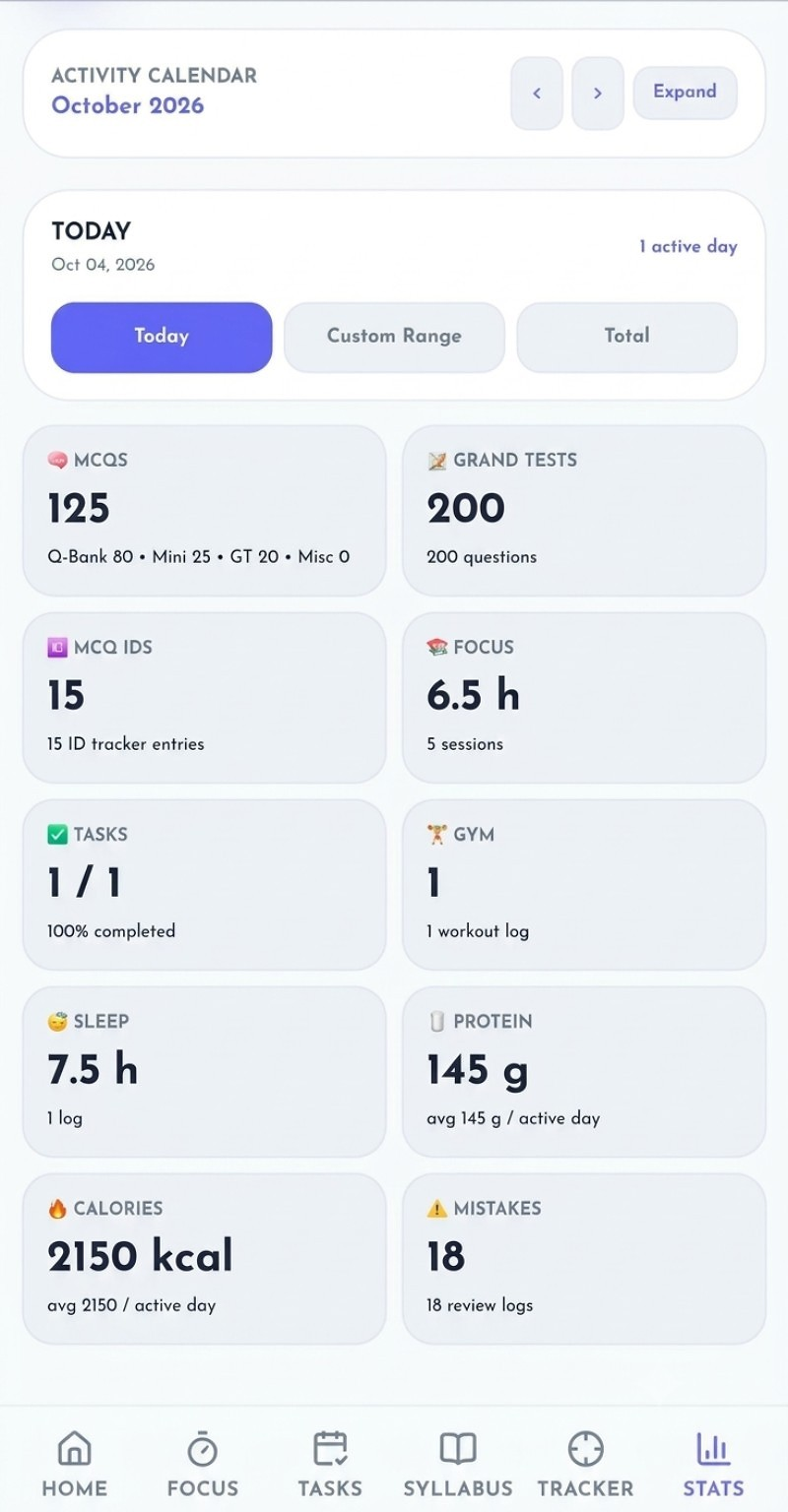
Built to make progress feel visible. The Home screen brings the most useful information to the front: your motivation and changing daily quote, today's tasks and schedule, MCQs solved today, your active focus timer and your daily progress.
Trackability connects the actions that make up a real preparation journey — planning, focused work, practice, personal routine and review.
Time blocks, repeats and reminders.
Focus sessions and Pomodoro.
Questions, tests and performance.
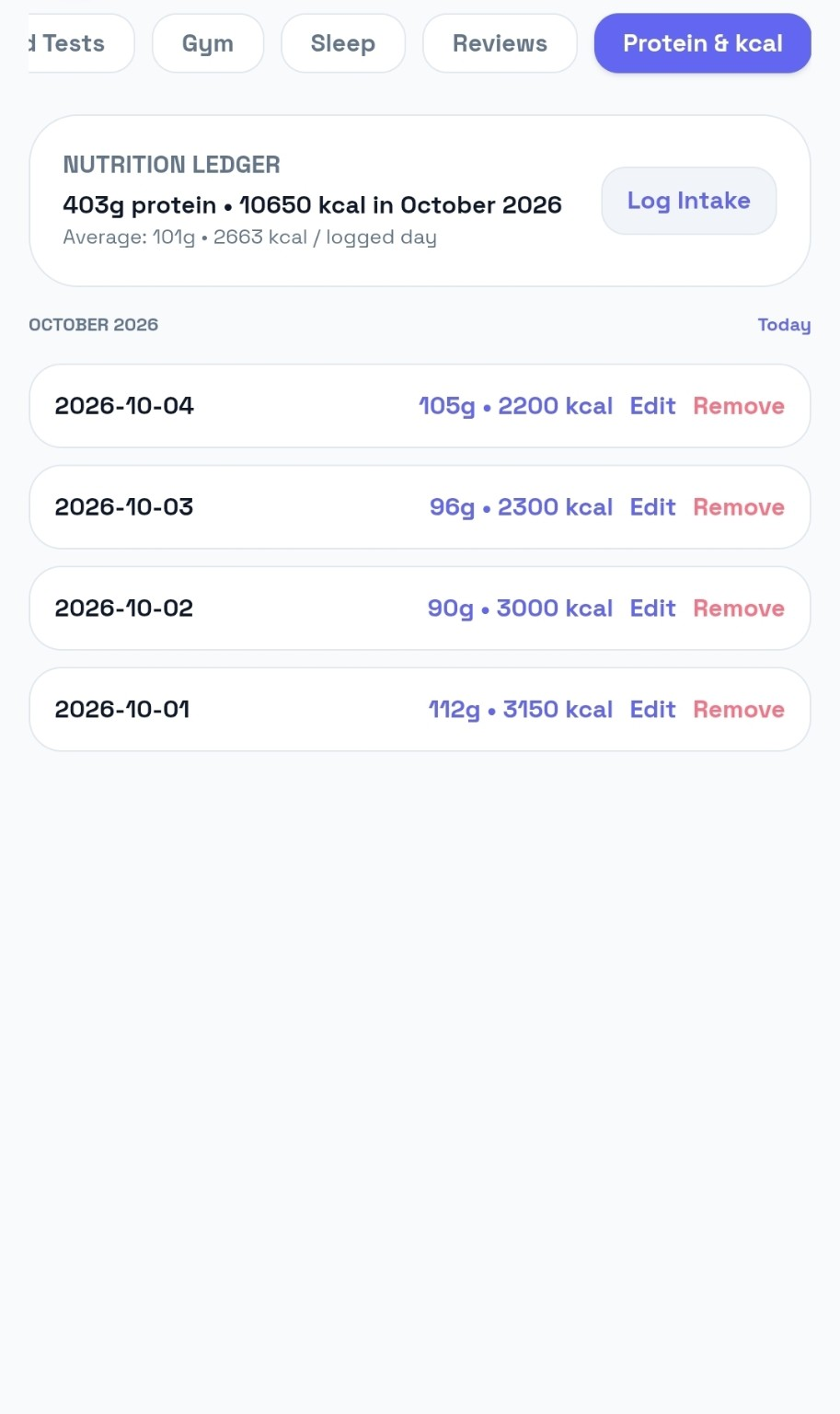
Gym, sleep, protein and calories.
History, trends and patterns.
Use the data to adjust.
Trackability connects what you studied with what you should practice and revisit next — instead of leaving revision and MCQ practice as disconnected notes.
Keep track of topics that need revision, see them in one place and move revision work directly into your plan.
Organise MCQ practice around subjects and chapters, keep your history visible and connect practice with your preparation.
The Focus system records what you actually did — Study, Revision or Other — with duration, subject/chapter context, history, goals and Pomodoro cycles.
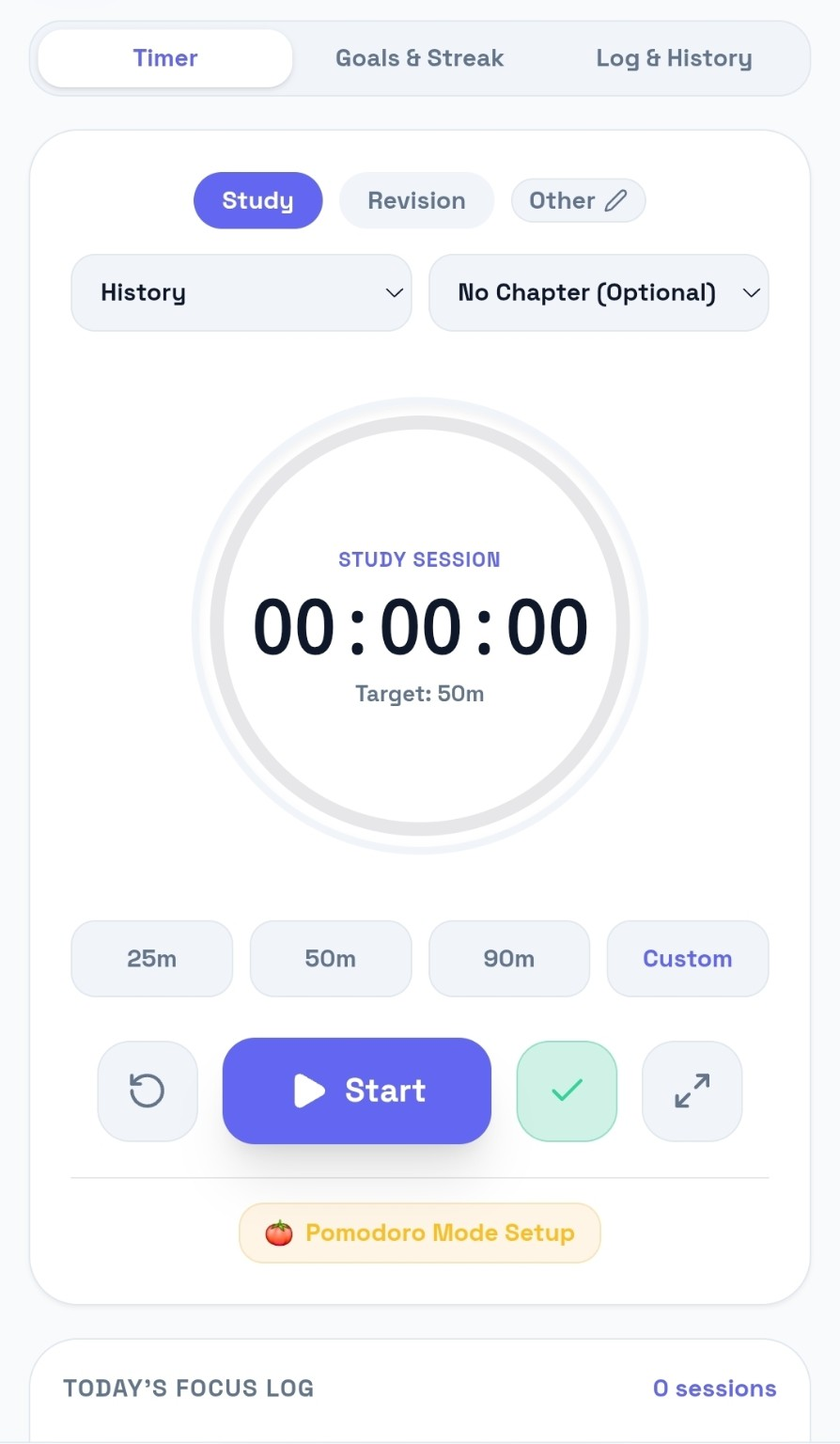
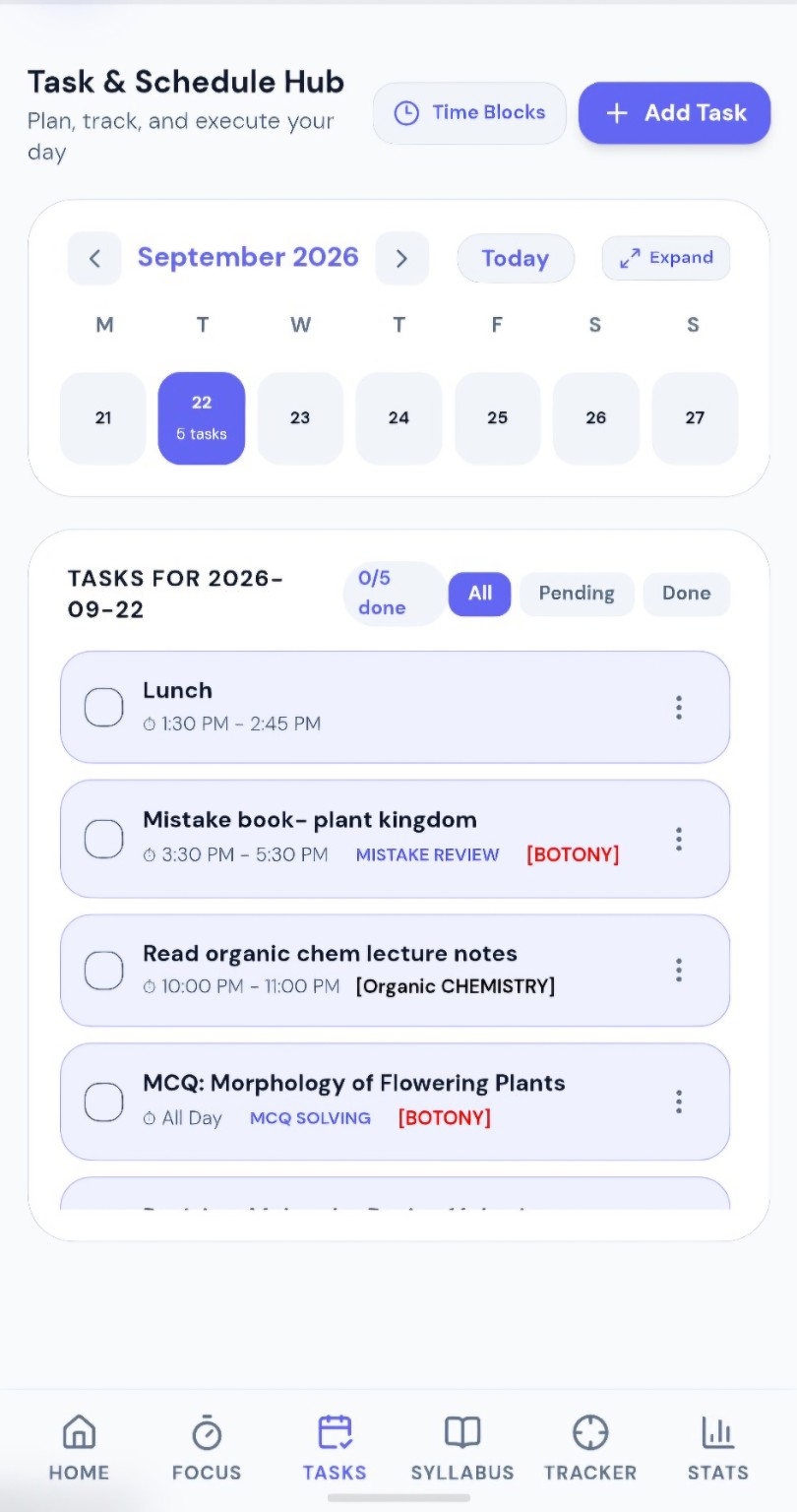
Tasks aren't just a checklist. Give them a date, time span, subject, chapter, repeat pattern and reminder — then move them when the day changes.
The academic side is connected: build your syllabus, surface revision topics, practice chapters and move work into Tasks.
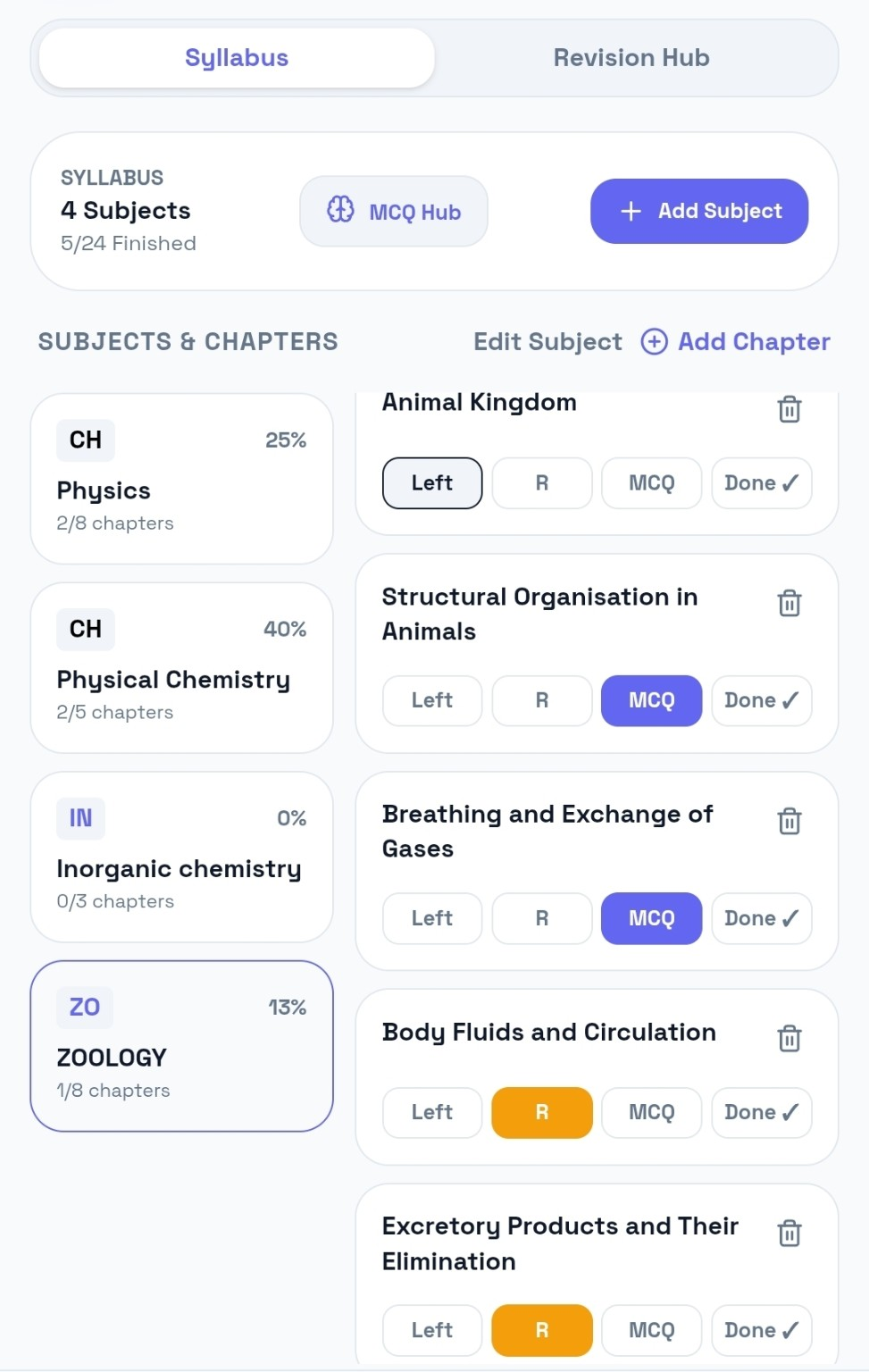
Organise subjects and chapters and see completion at a glance.
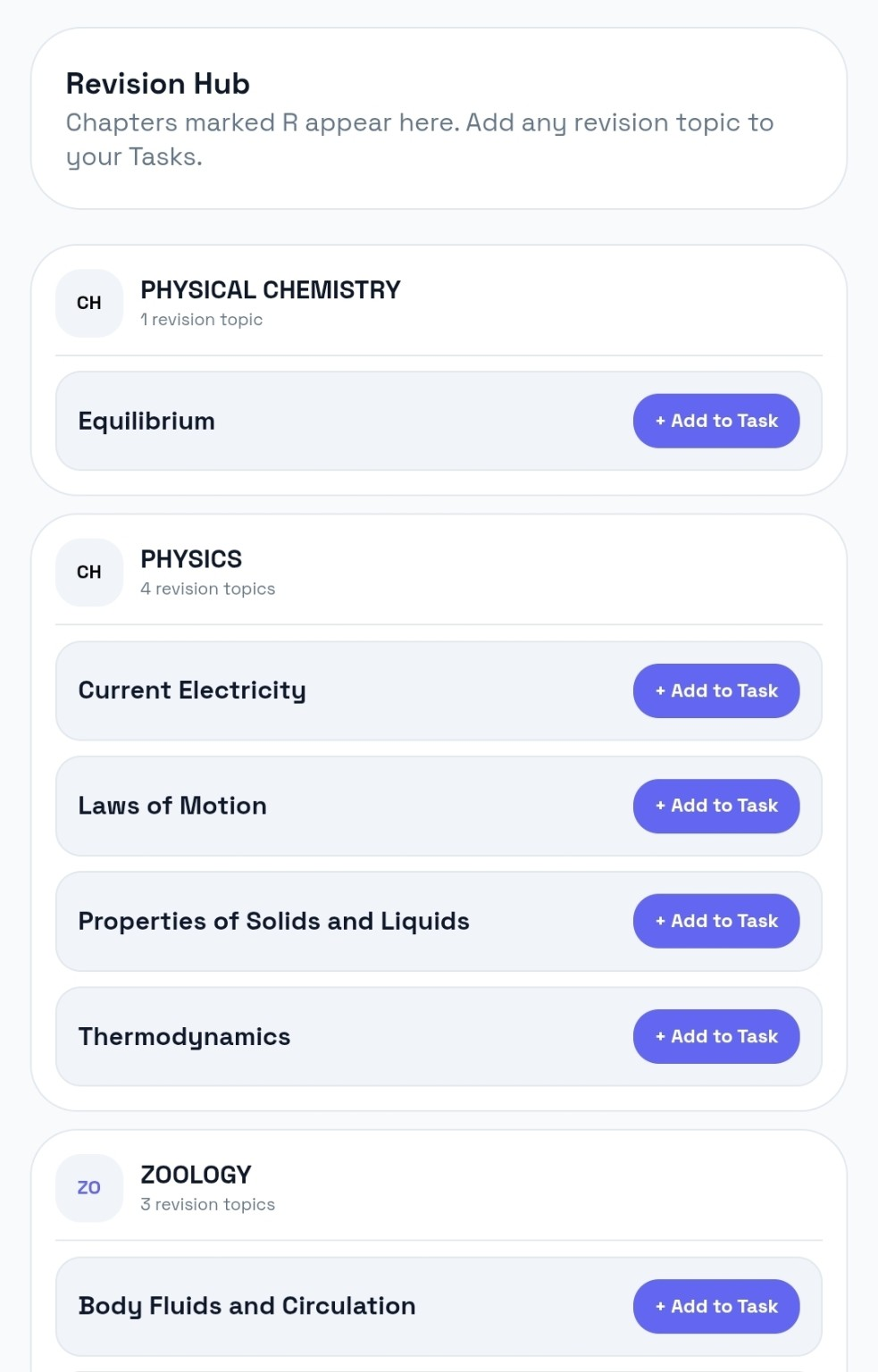
Collect topics marked for revision and send them directly into your plan.
Track your solved volume, remember specific questions, log tests and analyse performance without losing the context of where the question came from.
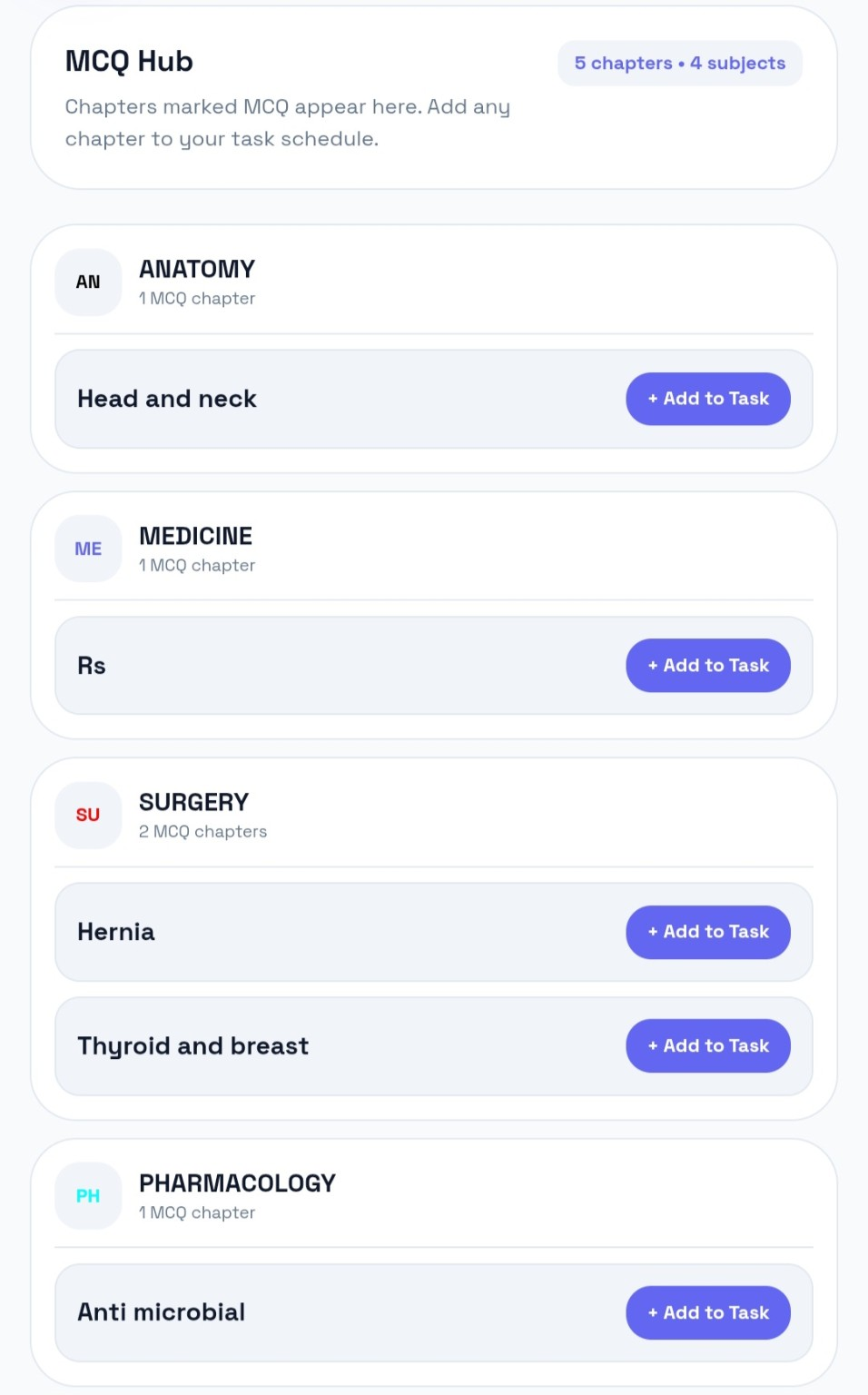
Organise question practice by subject and chapter.
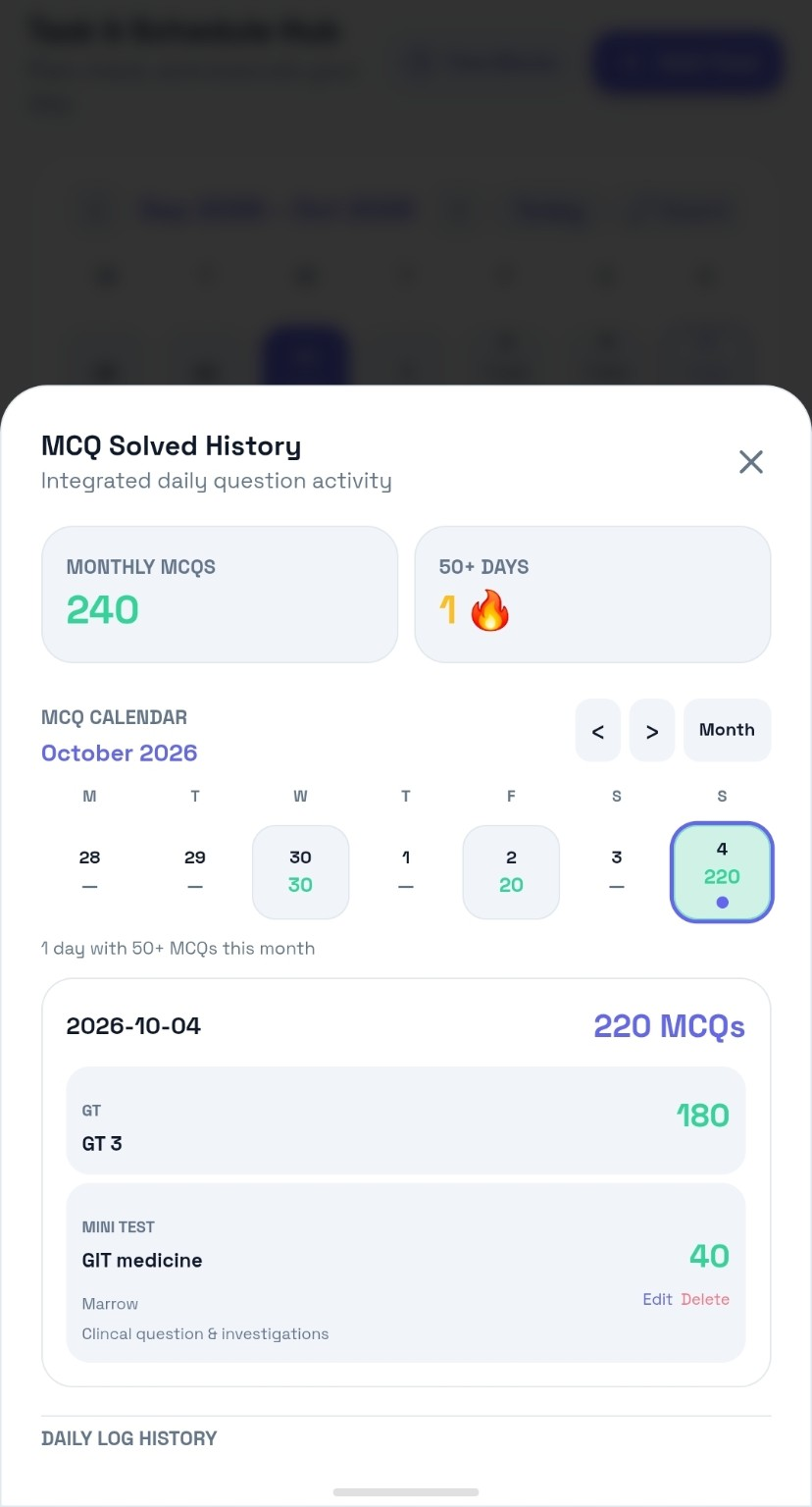
See daily solved activity and your accumulated practice.
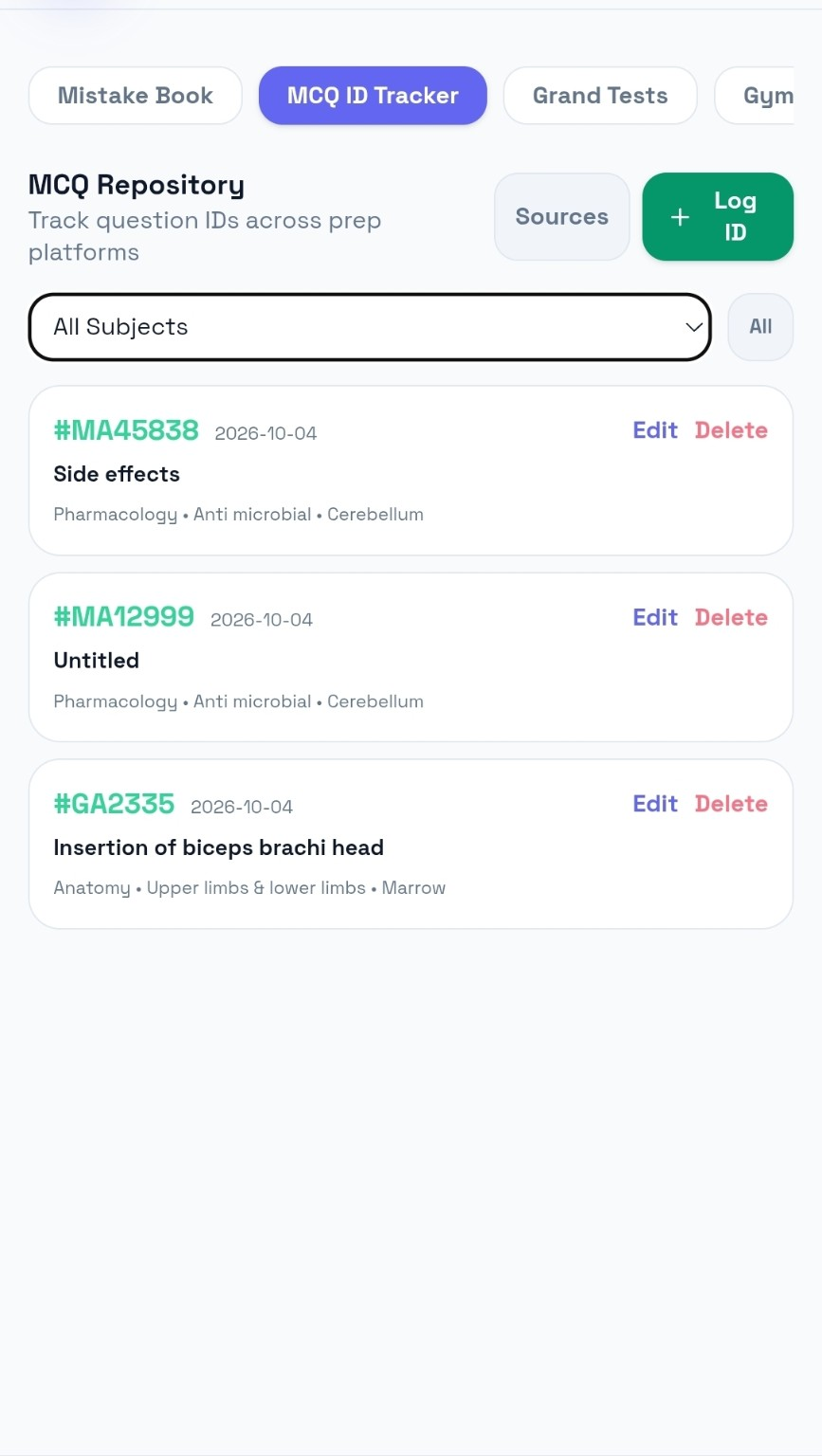
Keep specific question IDs and learning notes for later.
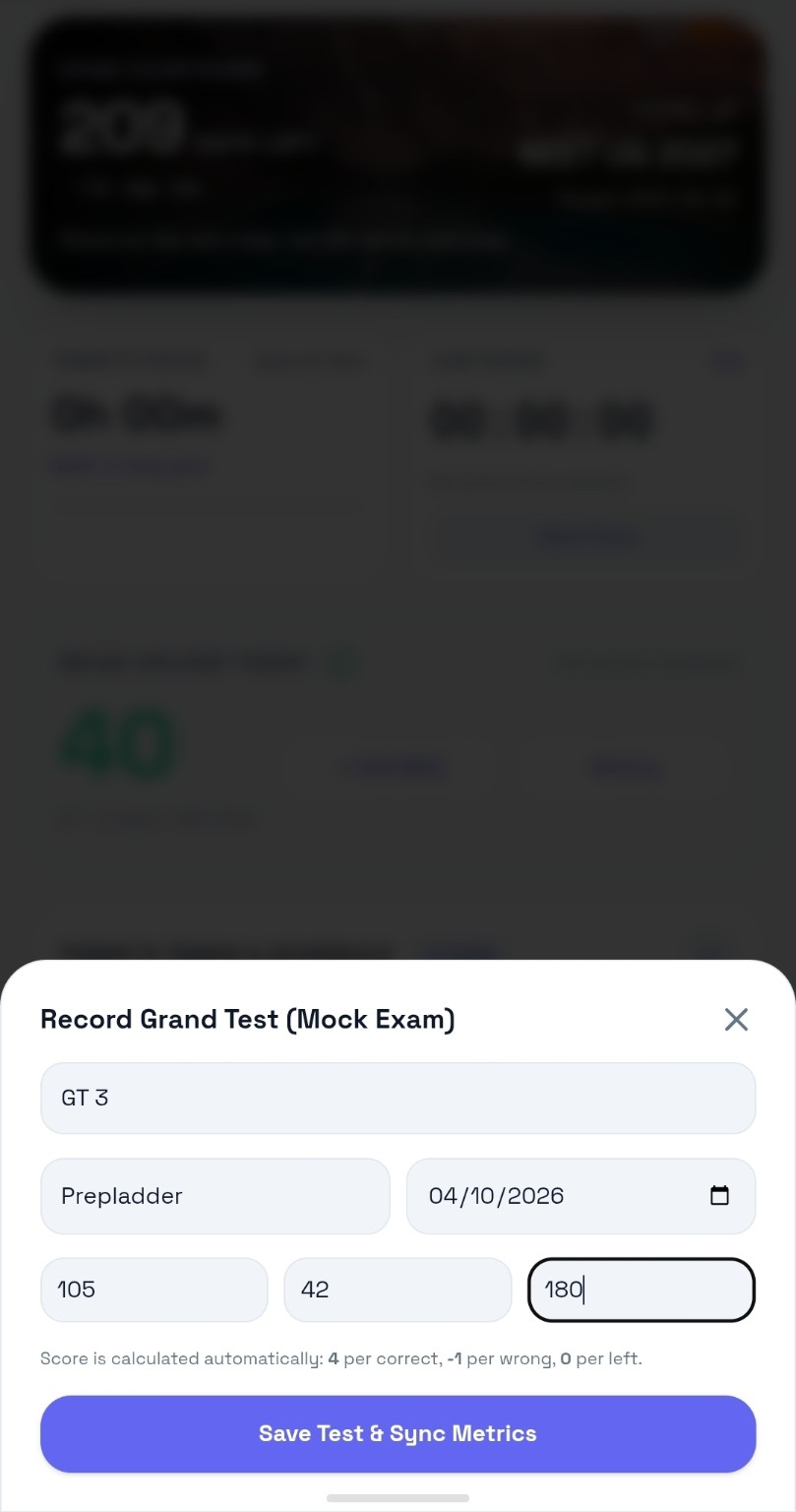
Store the test name, platform, questions, correct, wrong and left. Track scores over time and use the performance history to identify direction, not just a single result.
Gym, sleep, protein and calories sit alongside academic progress because consistency is bigger than study hours alone.
See all tracking features →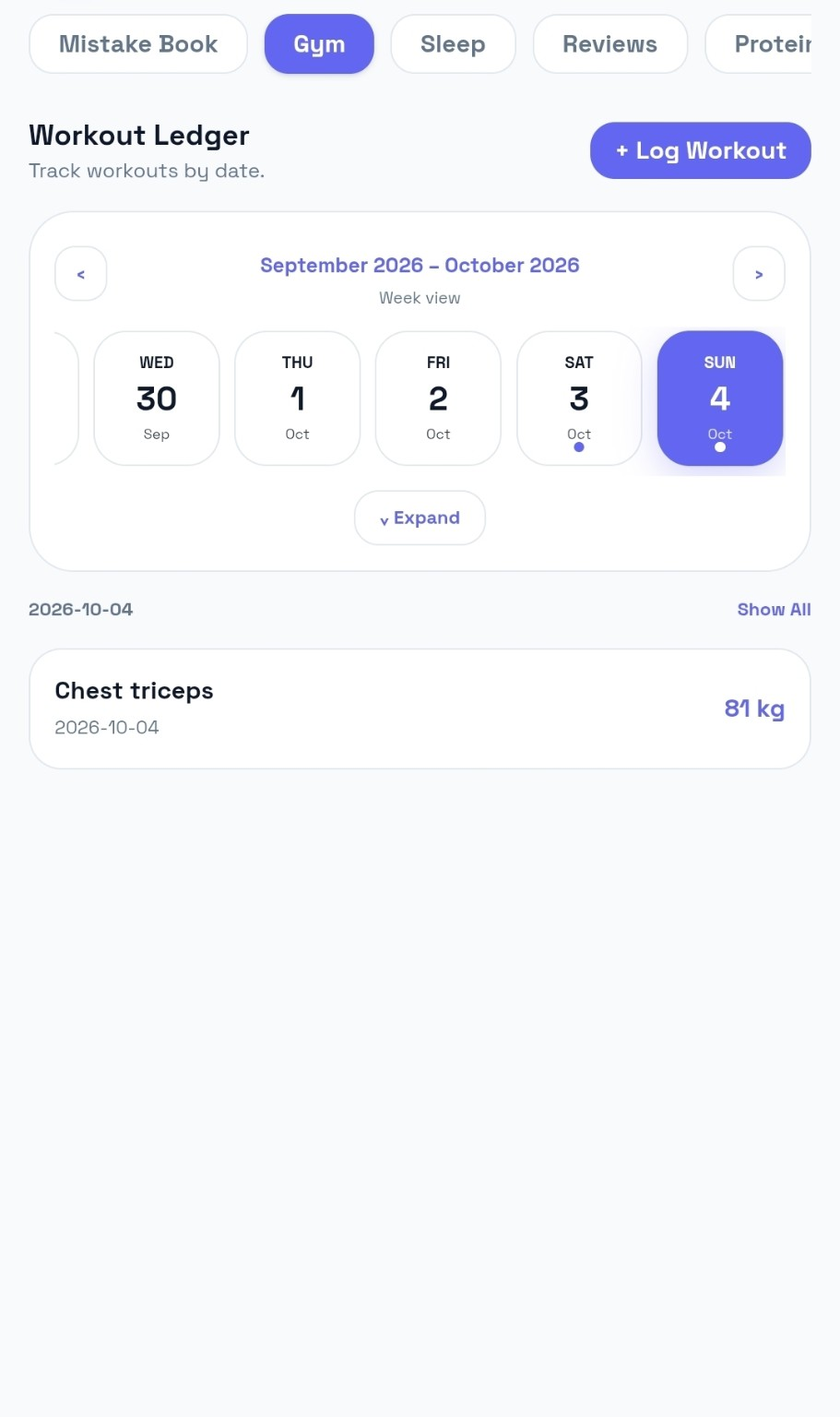
Trackability is currently in beta. Use it, tell us what works, report what does not, and help shape the product. A 14-day trial and subscription model will be introduced later.
Open the working Trackability app and start building your own system. Beta access is currently free.